
springboot项目的短信接口实现,使用三方短信接口平秒滴
场景重现
我:登录做完啦(一脸舒适)
某:看一下?
我:来来来
balabalabala…..
某:完了?
我:对啊
某:现在都短信验证好吗
我:……(打不死你)
…
…
大致思路
找短信接口->实现短信api->生成验证码->发短信->保存验证码->收到短信->输入验证码->提交验证->finish(成不成功看天命吧……)
注册短信平台
首先我们没有通信大佬们的支持,emmmm,咋办捏?只能用三方的平台啦(无奈ing),百啊百度啊度…..决定就是你啦!秒滴,主要是有免费的一百多条短信可以用,测试开发完全足够了,谁叫我们穷呢?
注册登录
这个不多说了。官网 http://www.miaodiyun.com
新建短信模板
配置管理->验证码短信模板->新建模板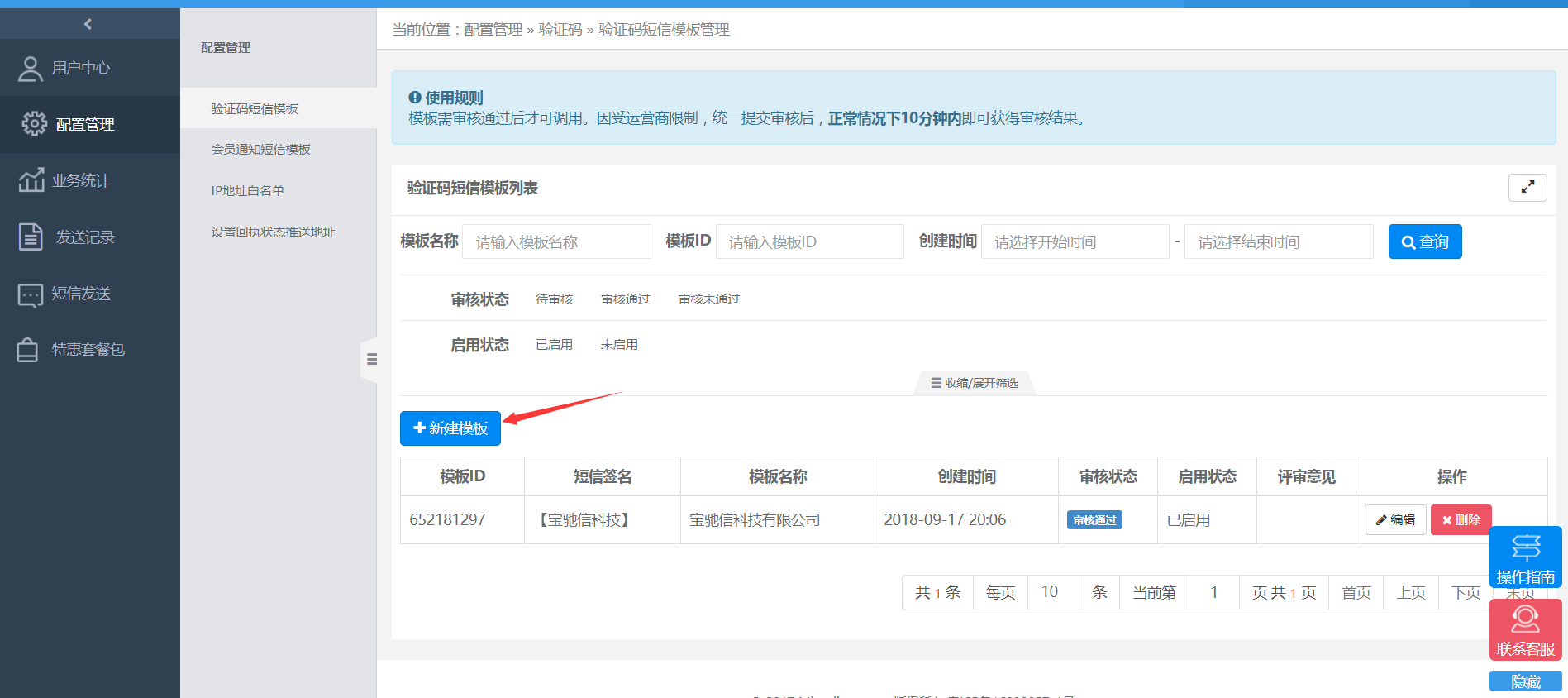
简历模板提交等待吧(ps 可能不成功,公司尽量写上市的吧…)
查看token
模板提交成功后去 用户中心->账户管理->查看token 获取token和sid,记住了,等下有用的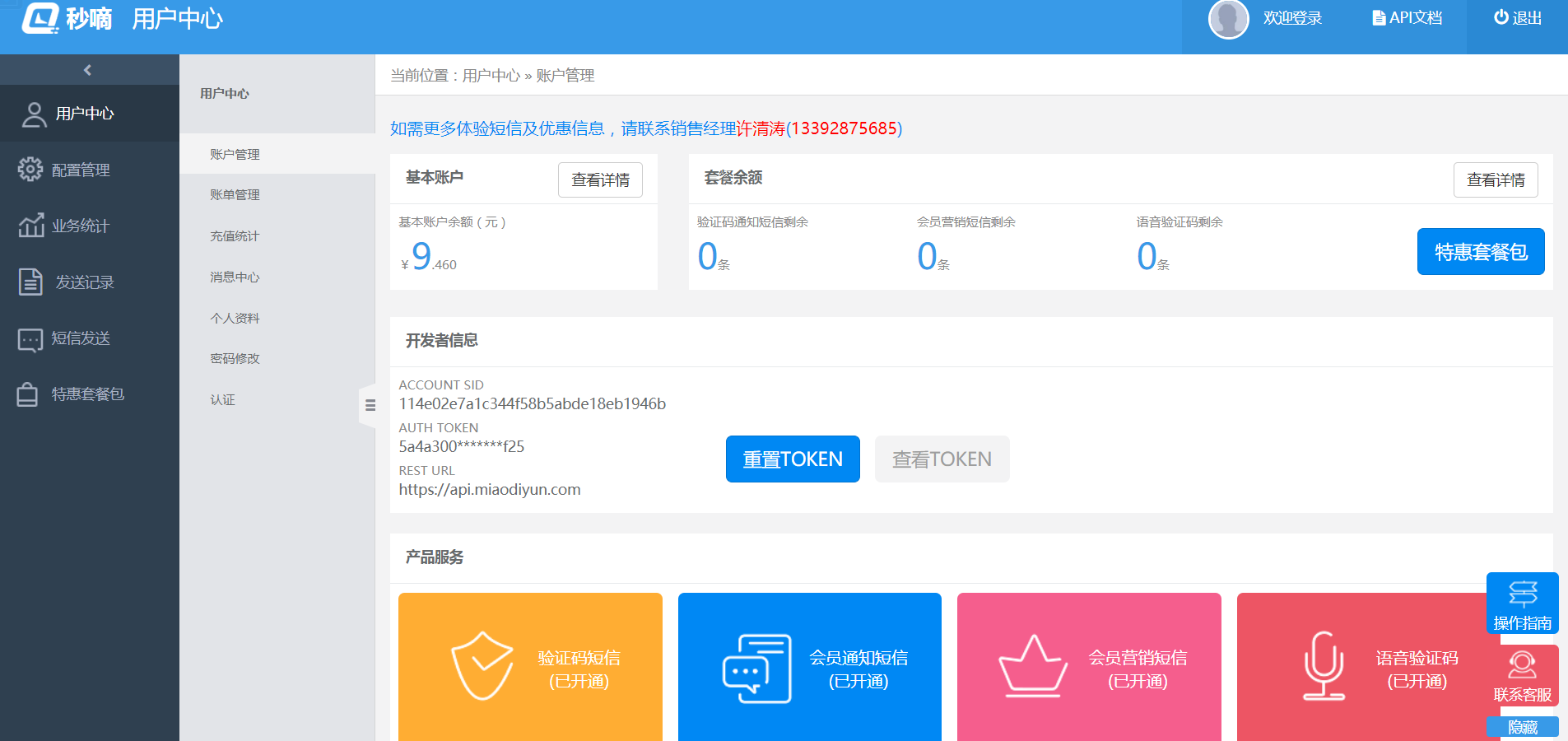
下载官方给的demo源码
点击API文档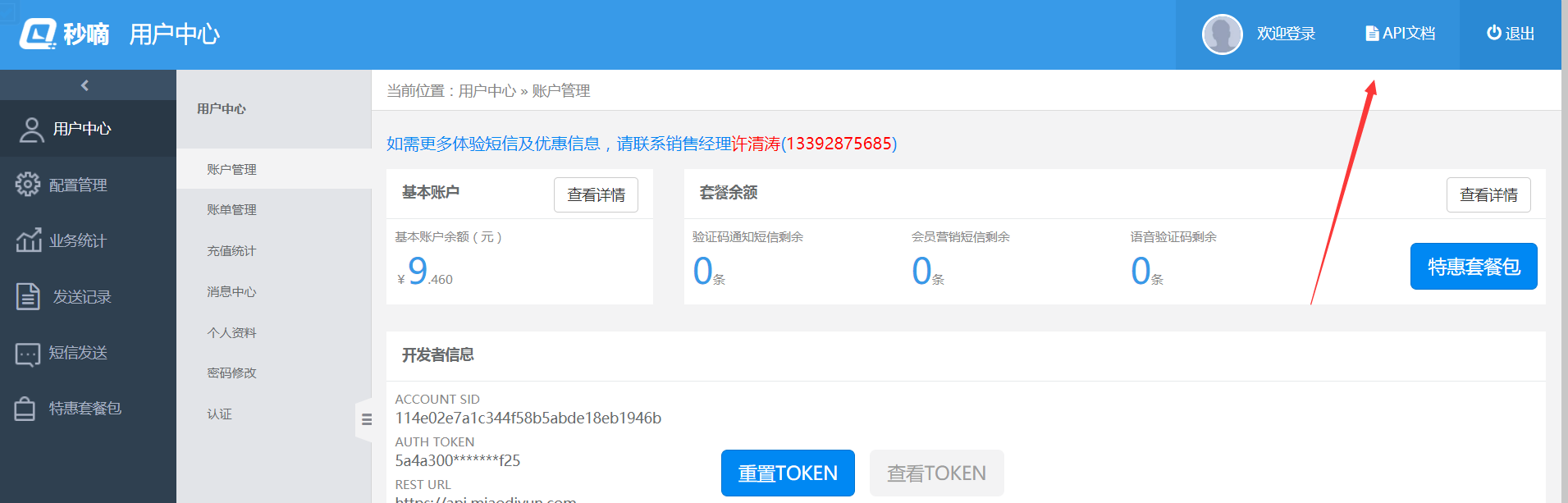
进入开发者中心,点击导航栏的demo下载,下载java demo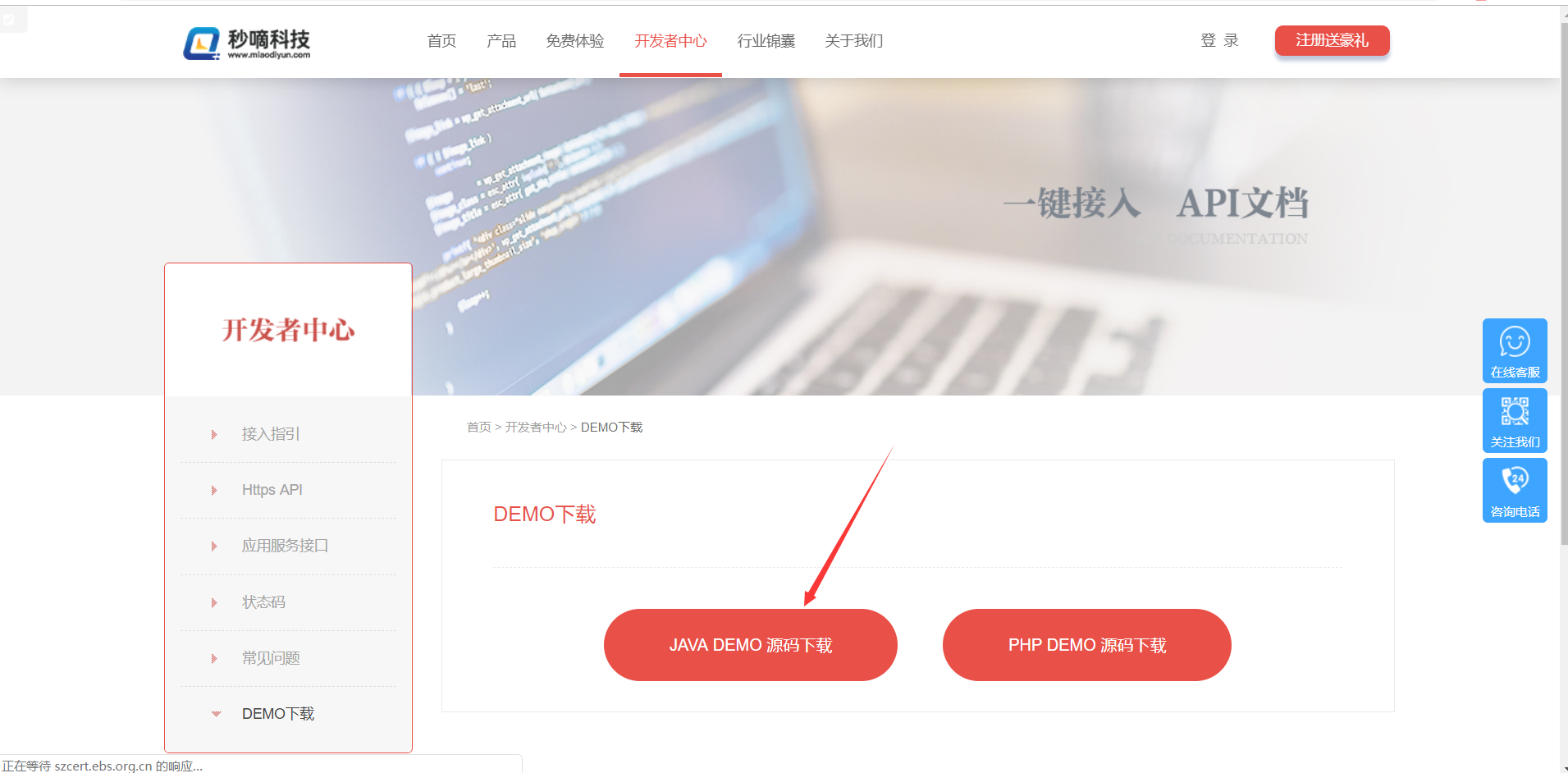
下载完后,自己查看下源码,demo很简单的,使用也就是copy,短信发成功了就是结合自己项目改改代码就行。
植入源码到springboot项目
解压下载的demo,看源码,搬砖。我这里使用短信接口实现短信验证码注册功能,附上代码
项目结构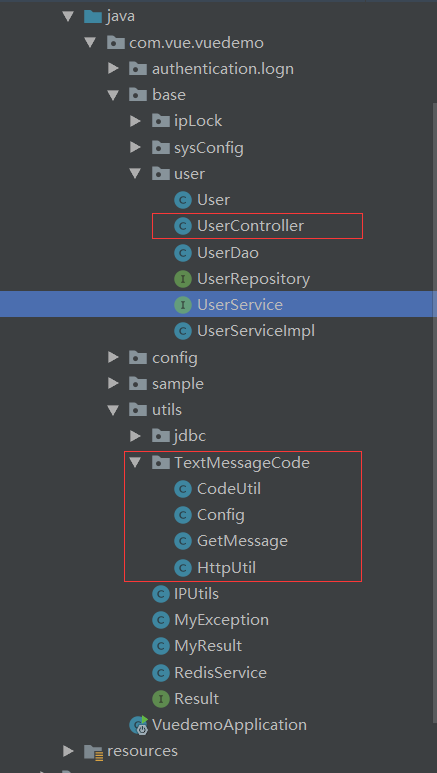
功能需要的文件用框框画上了,一个一个来吧
config.java
短信接口的基础配置文件,刚刚官网获取的token和sid需要配置在这里1
2
3
4
5
6
7
8
9
10
11
12
13
14
15
16
17
18
19
20
21
22
23
24
25
26
27package com.vue.vuedemo.utils.TextMessageCode;
/**
* @Author shiyuquan
* @Date 2018/9/17 21:12
* @Description TODO
*/
public class Config {
/**
* url前半部分
*/
public static final String BASE_URL = "https://api.miaodiyun.com/20150822";
/**
* 开发者注册后系统自动生成的账号,可在官网登录后查看
*/
public static final String ACCOUNT_SID = "114e02e7a1c344f58b5abde18eb1946b";
/**
* 开发者注册后系统自动生成的TOKEN,可在官网登录后查看
*/
public static final String AUTH_TOKEN = "5a4a30084dc143d29cd0af62dd619f25";
/**
* 响应数据类型, JSON或XML
*/
public static final String RESP_DATA_TYPE = "json";
}
CodeUtil.java
随机6位的验证码工具类1
2
3
4
5
6
7
8
9
10
11
12
13
14
15
16
17
18package com.vue.vuedemo.utils.TextMessageCode;
import java.util.Random;
/**
* @Author shiyuquan
* @Date 2018/9/17 20:51
* @Description TODO
*/
public class CodeUtil {
public String getRandNum() {
String randNum = new Random().nextInt(1000000)+"";
if (randNum.length()!=6) { //如果生成的不是6位数随机数则返回该方法继续生成
return getRandNum();
}
return randNum;
}
}
HttpUtil.java
http请求的工具类1
2
3
4
5
6
7
8
9
10
11
12
13
14
15
16
17
18
19
20
21
22
23
24
25
26
27
28
29
30
31
32
33
34
35
36
37
38
39
40
41
42
43
44
45
46
47
48
49
50
51
52
53
54
55
56
57
58
59
60
61
62
63
64
65
66
67
68
69
70
71
72
73
74
75
76
77
78
79
80
81
82
83
84
85
86
87
88
89
90
91
92
93
94
95
96
97
98
99
100
101
102
103
104
105
106
107
108
109
110
111
112
113
114
115
116
117
118
119
120
121
122
123
124
125
126
127
128
129
130
131
132
133
134
135
136
137
138package com.vue.vuedemo.utils.TextMessageCode;
import org.apache.commons.codec.digest.DigestUtils;
import java.io.BufferedReader;
import java.io.IOException;
import java.io.InputStreamReader;
import java.io.OutputStreamWriter;
import java.net.URL;
import java.net.URLConnection;
import java.text.SimpleDateFormat;
import java.util.Date;
/**
* @Author shiyuquan
* @Date 2018/9/17 21:12
* @Description TODO
*/
public class HttpUtil {
/**
* 构造通用参数timestamp、sig和respDataType
*
* @return
*/
public String createCommonParam()
{
// 时间戳
SimpleDateFormat sdf = new SimpleDateFormat("yyyyMMddHHmmss");
String timestamp = sdf.format(new Date());
// 签名
String sig = DigestUtils.md5Hex(Config.ACCOUNT_SID + Config.AUTH_TOKEN + timestamp);
return "×tamp=" + timestamp + "&sig=" + sig + "&respDataType=" + Config.RESP_DATA_TYPE;
}
/**
* post请求
*
* @param url
* 功能和操作
* @param body
* 要post的数据
* @return
* @throws IOException
*/
public String post(String url, String body)
{
String result = "";
try
{
OutputStreamWriter out = null;
BufferedReader in = null;
URL realUrl = new URL(url);
URLConnection conn = realUrl.openConnection();
// 设置连接参数
conn.setDoOutput(true);
conn.setDoInput(true);
conn.setConnectTimeout(5000);
conn.setReadTimeout(20000);
conn.setRequestProperty("Content-Type", "application/x-www-form-urlencoded");
// 提交数据
out = new OutputStreamWriter(conn.getOutputStream(), "UTF-8");
out.write(body);
out.flush();
// 读取返回数据
in = new BufferedReader(new InputStreamReader(conn.getInputStream(), "UTF-8"));
String line = "";
boolean firstLine = true; // 读第一行不加换行符
while ((line = in.readLine()) != null)
{
if (firstLine)
{
firstLine = false;
} else
{
result += System.lineSeparator();
}
result += line;
}
} catch (Exception e)
{
e.printStackTrace();
}
return result;
}
/**
* 回调测试工具方法
*
* @param url
* @param body
* @return
*/
public String postHuiDiao(String url, String body)
{
String result = "";
try
{
OutputStreamWriter out = null;
BufferedReader in = null;
URL realUrl = new URL(url);
URLConnection conn = realUrl.openConnection();
// 设置连接参数
conn.setDoOutput(true);
conn.setDoInput(true);
conn.setConnectTimeout(5000);
conn.setReadTimeout(20000);
// 提交数据
out = new OutputStreamWriter(conn.getOutputStream(), "UTF-8");
out.write(body);
out.flush();
// 读取返回数据
in = new BufferedReader(new InputStreamReader(conn.getInputStream(), "UTF-8"));
String line = "";
boolean firstLine = true; // 读第一行不加换行符
while ((line = in.readLine()) != null)
{
if (firstLine)
{
firstLine = false;
} else
{
result += System.lineSeparator();
}
result += line;
}
} catch (Exception e)
{
e.printStackTrace();
}
return result;
}
}
GetMessage.java
其他地方通过调用这个类的execute方法发送短信,短信发送接口,验证码存放在redis里面,key-value对应的手机号和验证码。关于redis的使用,可以参考我另外一篇博客springBoot使用redis1
2
3
4
5
6
7
8
9
10
11
12
13
14
15
16
17
18
19
20
21
22
23
24
25
26
27
28
29
30
31
32
33
34
35
36
37
38
39
40
41
42
43
44
45
46
47
48
49
50
51
52
53
54
55
56
57
58
59
60package com.vue.vuedemo.utils.TextMessageCode;
import com.vue.vuedemo.utils.RedisService;
import org.springframework.beans.factory.annotation.Autowired;
import org.springframework.stereotype.Service;
import java.net.URLEncoder;
/**
* @Author shiyuquan
* @Date 2018/9/17 21:10
* @Description TODO
*/
public class GetMessage {
RedisService redisService;
private String operation = "/industrySMS/sendSMS";
private String accountSid = Config.ACCOUNT_SID;
/**
* 验证码通知短信
*/
public String execute(String tel){
HttpUtil httpUtil = new HttpUtil();
CodeUtil codeUtil = new CodeUtil();
// 获取验证码
String code = codeUtil.getRandNum();
// 设置短信内容
String smsContent = "【宝驰信科技】尊敬的用户,您的验证码为"+code;
String tmpSmsContent = null;
try{
tmpSmsContent = URLEncoder.encode(smsContent, "UTF-8");
}catch(Exception e){
}
// 发送的url
String url = Config.BASE_URL + operation;
// 发送的请求体
String body = "accountSid=" + accountSid + "&to=" + tel + "&smsContent=" + tmpSmsContent
+ httpUtil.createCommonParam();
// post请求
String result = httpUtil.post(url, body);
// 这里是个自己挖的坑,还好平台返回的格式固定,我就截取了字符串做判断,其实平台有提供回调方法的,我当时懒得动...你懂的,想看的话去源码找吧,在huidiao包里面
char[] res = result.toCharArray();
String codeResult = "";
for(int i=13; i<=17; i++){
codeResult = codeResult + String.valueOf(res[i]);
}
// 00000代表成功了
if("00000".equals(codeResult)) {
// 发送成功后将电话号码和验证码存在redis,设置有效期为5分钟。之后前台要发送验证需要在redis查询是否有记录
redisService.set(tel, code, 300L);
}
return codeResult;
}
}
UserController.java
1 | /** |